Usage
The usage of MiniDevTools is versatile and offers multiple options to suit various workflows. Whether integrating it as a package into your codebase, utilizing its Command Line Interface (CLI) for quick tasks, or experiencing its features through the forthcoming Graphical User Interface (GUI), MiniDevTools provides flexibility and efficiency. Each option caters to different preferences, ensuring seamless integration into your development process.
MiniDevTools offers three options for usage:
As a Package
Integrate MiniDevTools into your own code or project as a package. Simply import it as follows:
from minidevtools import HashTool

# Hashing text
hash_text = HashTool.SHA256(text="Hello, world!")
print("Hashed text with SHA256:", hash_text)

# Hashing file
hash_file = HashTool.SHA256(file="image.png")
print("Hashed file with SHA256:", hash_file)
You can then use the functionalities provided by MiniDevTools within your codebase.
Command Line Interface (CLI)
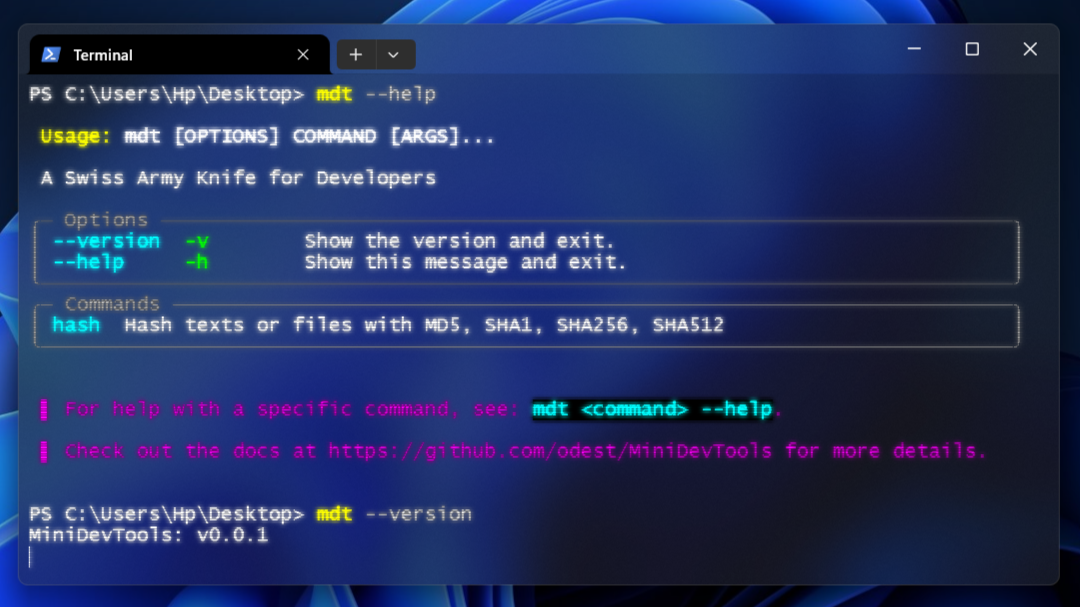
Utilize MiniDevTools via the Command Line Interface (CLI) for quick and efficient tasks. Execute the CLI script as follows:
mdt
 |
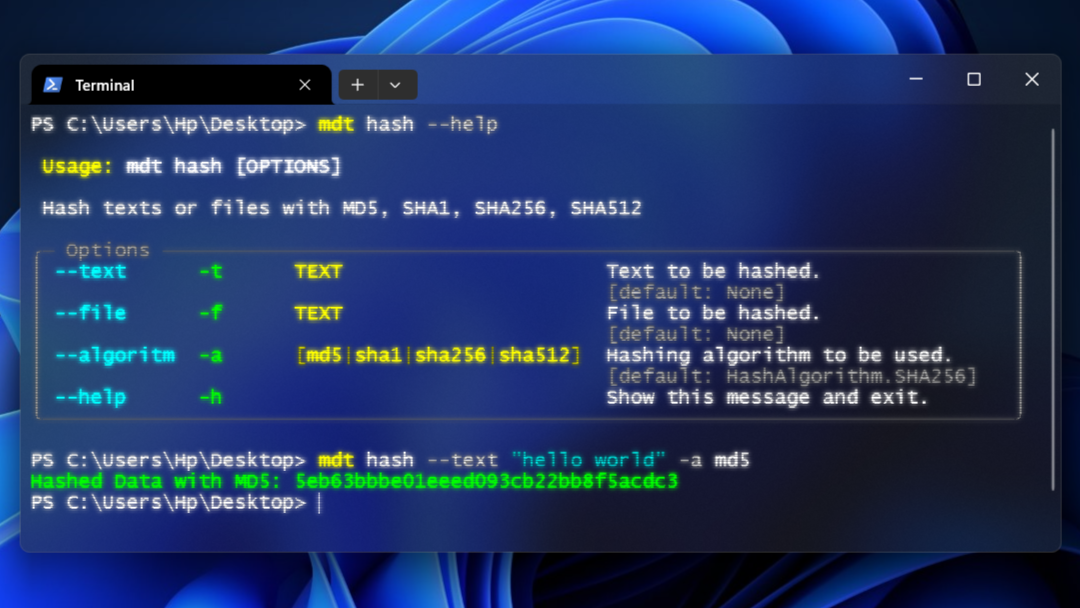 |
This allows you to access MiniDevTools’ features directly from the command line.
Graphical User Interface (GUI)
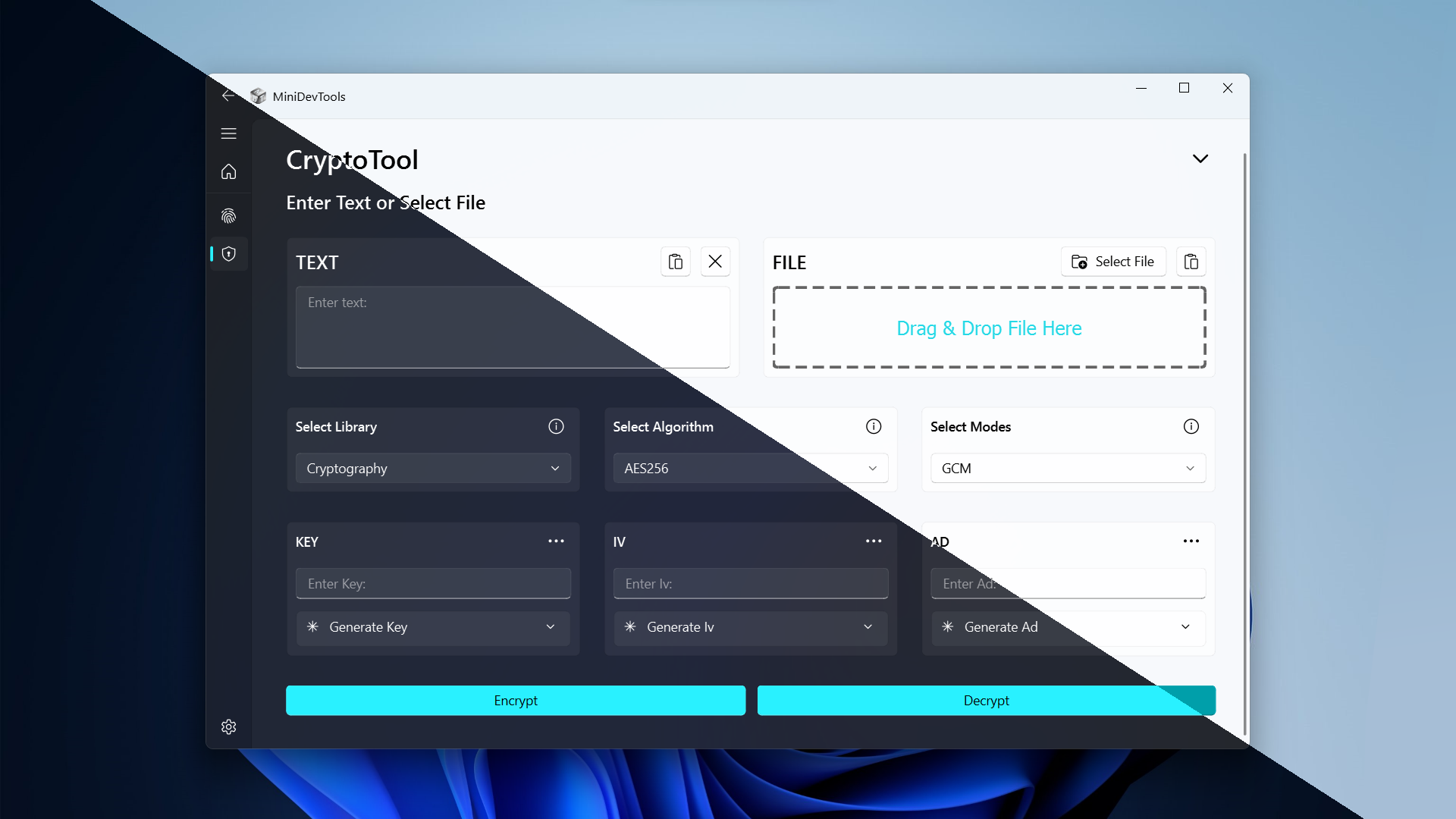
Experience MiniDevTools’ capabilities through the Graphical User Interface (GUI) for a user-friendly interaction. Launch the GUI to access its functionalities effortlessly. Here is a concept gui design:
Note
The GUI option is currently under development and will be available soon.
Choose the option that best suits your workflow and preferences to make the most out of MiniDevTools.